How to Choose Cookieless Analytics for WordPress
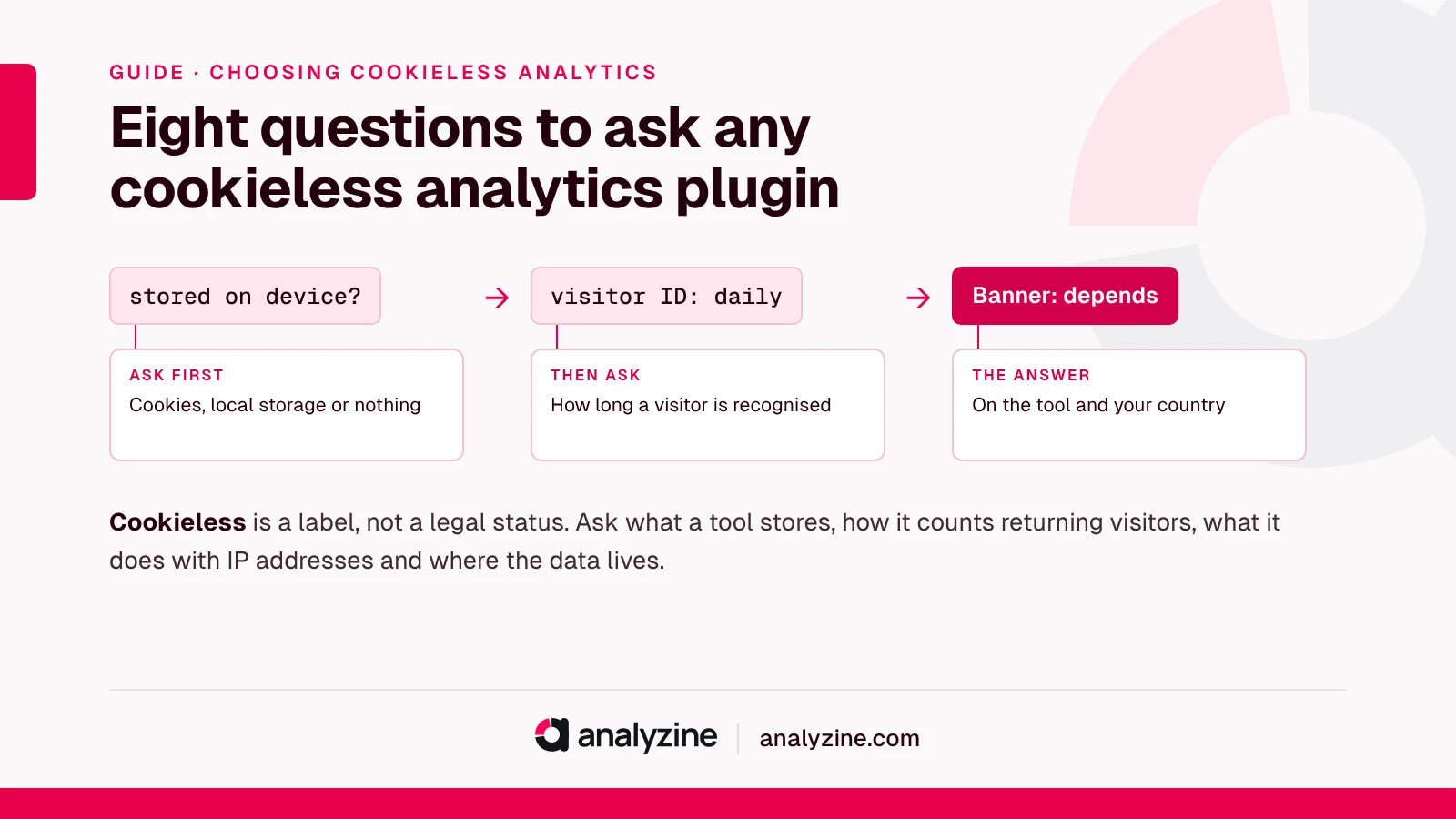
Cookieless analytics counts visits without setting cookies. But cookieless is a label, not a legal status. Before you choose a plugin, ask what it stores on the visitor’s device, how it recognises returning visitors, what it does with IP addresses, and where the data lives. Those answers decide whether you still need a cookie banner, and how far you can trust the numbers.
Most “best cookieless analytics” lists are written by companies that sell one of the tools on the list. That is fine, as long as you know it. We make Analyzine, a privacy-first analytics plugin for WordPress, so read this with that in mind.
This is not a ranking. It is the eight questions we would ask any tool, ours included.
What “Cookieless” Can Mean
Vendors use the word for three different setups:
- No cookies, but browser storage: The tool skips cookies and keeps an ID in local or session storage instead. To a regulator, that is still storing information on the device.
- No storage, but a fingerprint: The tool combines things the browser sends anyway, such as the IP address and browser details, to recognise a visitor for a while.
- Counting only: The tool counts pageviews and sources without trying to recognise anyone.
Each gives a different level of detail and carries a different level of risk. A good vendor tells you which one it uses, in plain words. Our guide to cookieless tracking explains how each method counts visitors.
Cookieless Doesn’t Automatically Mean No Cookie Banner
In the EU, the consent rule is about storing or reading information on someone’s device. It is not only about cookies. In 2024, the European Data Protection Board confirmed that the rule can also cover local storage, tracking pixels, and fingerprinting (EDPB Guidelines 2/2023).
So the real questions are: does the tool touch the device, and if it does, does your country allow analytics without consent?
- United Kingdom: Yes, since 5 February 2026. Statistics are used only to improve your site and are combined into totals, with clear information for visitors and a simple way to object.
- France: Yes, for audience measurement. Your own statistics only, no cross-site tracking or data sharing, IP addresses shortened, limited lifetimes, visitors told and able to opt out.
- Germany: No. Consent-free only if nothing is stored on or read from the device.
- Other EU countries: Varies. Check your regulator’s current guidance.
Two more things. Other scripts on your site, such as ad pixels, YouTube embeds, or chat widgets, can still need a banner on their own. And this is a starting point, not legal advice, so check with your adviser if you are unsure. For the full picture, see when analytics can run without a cookie banner.
Eight Questions to Ask Any Cookieless Analytics Plugin
1. What does it store on, or read from, the visitor device?
Look for a straight answer: cookies, local storage, session storage, or nothing. No cookies on its own does not answer the question.
2. How does it recognise a returning visitor, and for how long?
An ID that resets every day is more private, but it counts yesterday’s visitor as new today. A longer-lived ID gives better returning-visitor numbers and needs more care.
3. What happens to IP addresses?
Ask whether the full IP is stored, shortened, or dropped, and where that happens. Shortening it on your own server before anything is saved is the safest pattern.
4. Where does the data live?
A self-hosted plugin keeps data in your WordPress database. A cloud tool keeps it on the vendor’s servers, so you will need a data processing agreement and should check which country hosts it. Our first-party analytics guide covers the difference.
5. Does anything go to a third party?
Fonts, CDNs, and lite cloud scripts can send visitor data elsewhere without you noticing. Open your browser network tab on your own site and look at where requests go.
6. Does it respect visitor choice?
Check for Do Not Track and Global Privacy Control support, plus a way for visitors to object. In the UK, a simple way to object is one of the conditions for the analytics exemption.
7. Can it answer your business questions?
Pageviews are easy. The harder question is which source brought the sale, the lead, or the booking. If you run WooCommerce, forms, or courses, ask whether the tool shows revenue by channel and your conversion rate, not just traffic.
8. Does it fit your WordPress set-up?
Ask whether it still counts correctly when pages are served from a caching plugin, how much it adds to page weight, and whether you can set how long data is kept.
What You Give Up Without Cookies
- Returning visitors over longer periods: With a daily ID, unique visitors this month is an estimate.
- Cross-device journeys: A visit on a phone and a purchase on a laptop look like two people.
- Long gaps before a sale: If someone visits on Monday and buys next week, ask how the tool links the sale to the visit that started it.
In return, you usually see the visitors who would have clicked decline on a banner, and your visitors are not followed around.
Red Flags in Vendor Claims
- 100 percent GDPR compliant: No tool is compliant on its own. Compliance depends on how you set it up and use it.
- You will never need a banner: That depends on the country and on every other script on your site.
- No public explanation of how visitors are counted.
- Rankings where the publisher’s own tool comes first and the article does not say so.
- A cloud tool with no data processing agreement.
How Analyzine Answers the Eight Questions
Here are our answers, so you can compare them with any other tool.
- Device storage: No cookies by default. The daily visitor ID is generated securely on the server without storing persistent tracking data in browser storage.
- Returning visitors: A visitor ID that changes every day.
- IP addresses: Raw IP addresses are never stored. Anonymisation happens on your own server.
- Where data lives: In your own WordPress database. Self-hosted.
- Third parties: Visitor data is not sent to Analyzine or anyone else, so you do not need a data processing agreement with us.
- Visitor choice: Do Not Track and Global Privacy Control are respected automatically.
- Business questions: Sources, campaigns, conversions, and revenue by channel, for WooCommerce, SureCart, Fluent Forms, and LearnDash.
- WordPress fit: Works with caching plugins. Data is kept for 90 days by default, and you can change that.
If that fits what you need, see how our analytics plugin for WordPress, Analyzine, works, or read our notes on GDPR-friendly WordPress analytics.
Frequently Asked Questions
Is cookieless analytics GDPR compliant?
No tool is compliant on its own. Cookieless analytics can make compliance much easier because it collects less and keeps data close to you. Whether you need consent still depends on what the tool stores on the device and where your visitors are.
Do I need a cookie banner if my analytics is cookieless?
That depends on whether the tool stores or reads data on the device under local rules, and what other scripts run on your site. A cookieless setup removes analytics cookies, but local storage use and regional laws still apply.
Is local storage the same as a cookie?
Under EU privacy rules, both involve storing information on a user’s device. Regulators treat local storage similarly to cookies when determining whether prior consent is required.
Is fingerprinting a cookieless method?
Yes, because it avoids placing cookies on the browser. However, because it combines browser attributes to track users, regulators view it as a device-access technique that requires careful legal evaluation.
Why are my numbers different from Google Analytics?
Traditional tools rely on persistent cookies, third-party data collection, and modelled traffic to estimate metrics. Privacy-first, self-hosted tools count actual server requests and use rotating visitor IDs, which results in cleaner, direct numbers without tracking fragments.
This guide explains how the rules generally work. It is not legal advice.