
Quick answer
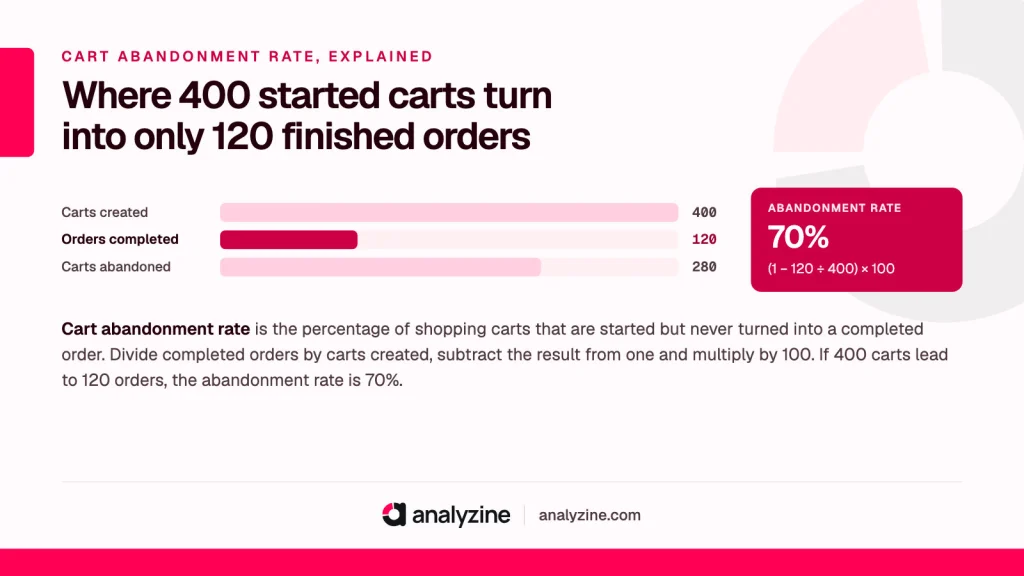
Cart abandonment rate is the percentage of shopping carts that are started but never turned into a completed order. Divide completed orders by carts created, subtract the result from one and multiply by 100. If 400 carts lead to 120 orders, the abandonment rate is 70%.
What cart abandonment rate measures
It shows how many people put something in their basket and then leave without buying. It’s a measure of the last stretch of a sale: the visitor has found a product and shown real interest, and something between the basket and the payment stopped them.
A cart counts as abandoned when it doesn’t become an order within whatever window your tool uses. Some tools use the end of the session; others wait a set time, such as a day, in case the shopper comes back. Find out which yours uses before you compare figures from different places.
How to calculate it
Cart abandonment rate = (1 − completed orders ÷ carts created) × 100
A “cart created” usually means a session in which at least one item was added to the basket. A closely related number looks only at people who reached the checkout page:
Checkout abandonment rate = (1 − completed orders ÷ checkouts started) × 100
The two together tell you where people are leaving: at the basket, or partway through paying.
A worked example
Say a WooCommerce shop selling candles has this October:
| Step | Sessions |
|---|---|
| Added something to the basket | 900 |
| Reached the checkout page | 420 |
| Completed an order | 270 |
Cart abandonment: (1 − 270 ÷ 900) × 100 = 70%
Checkout abandonment: (1 − 270 ÷ 420) × 100 = about 36%
The bigger drop is between the basket and the checkout: 480 of the 900 carts never got that far. That points to the basket page, delivery costs or ordinary browsing more than the payment form itself. If the checkout figure were the large one, you’d look at the form, the payment step and errors first.
Why a high rate is partly normal
Plenty of people use a basket the way they’d use a wishlist. They add things to check the total, see delivery costs, compare with another shop or come back on payday. Some of those carts were never going to become orders that day, and some come back as orders later.
So there’s no universal good number. A shop selling expensive furniture will see far more abandoned baskets than one selling cheap refills to returning customers. Track your own rate over time and watch for jumps after a change, such as a new shipping charge, a theme update or a new payment plugin.
Why shoppers abandon carts
Surprise costs at the end
Delivery charges, payment surcharges or tax that only appear on the last step are the classic reason. The shopper had a price in their head, and the final total doesn’t match it.
Being forced to create an account
Someone who wants to buy one gift doesn’t want a password. Making account creation compulsory adds a step and a reason to stop.
A slow or long checkout
Too many fields, a page that takes ages to load on mobile data, or an address form that rejects valid postcodes. Each one is a chance to give up.
Payment problems
The method they wanted isn’t offered, a card is declined with an unclear message, or a security check opens in a window that breaks on their phone.
Doubts at the last moment
No visible returns policy, unclear delivery dates or a checkout that suddenly looks different from the rest of the shop can make people hesitate.
Technical faults
Coupon fields that throw errors, a cart that empties itself, or a caching setup that serves one shopper’s cart to another. Cart and checkout pages must not be cached; most caching plugins exclude them automatically, but it’s worth checking after any change.
Fixes for WooCommerce and SureCart stores
- Show delivery costs early. Put shipping prices or a free-delivery threshold on product pages and in the basket. WooCommerce’s basket can show a shipping estimate before checkout.
- Allow guest checkout. In WooCommerce, the setting sits under Settings, then Accounts & Privacy. Offer account creation after the order instead, when the customer has nothing left to lose. In SureCart, review your checkout form for any step you don’t need.
- Cut fields you don’t use. Company name, a second phone number and “How did you hear about us?” can go or become optional.
- Test speed on a phone. Load your checkout on mobile data, not office Wi-Fi. Plugins that load scripts on every page, including the checkout, are a common cause of slowness.
- Offer the payment methods your customers expect. If your payment gateway supports wallets such as Apple Pay or Google Pay, try turning them on.
- Put reassurance next to the pay button. Returns policy, delivery dates and a contact option, in a sentence each.
- Buy something from your own shop every month. Use a real card, a discount code and a phone. It’s the quickest way to find what’s broken.
Read the effect in your conversion rate as well as here. Fewer abandoned carts should mean more orders from the same traffic; if it doesn’t, something else is going on.
Recovering abandoned carts without crossing privacy lines
Abandoned-cart emails are the best-known recovery tactic, and the one most likely to cause trouble. Many plugins capture the email address as it’s typed into checkout, before the shopper presses anything. That’s collecting personal data from someone who hasn’t finished the purchase and may not have seen your privacy notice. In the UK and EU, a reminder email can also count as direct marketing, which has its own consent rules. This is general information, not legal advice; our privacy laws overview has more.
More respectful ways to recover sales:
- Ask first. An unticked box at checkout saying “Email me a reminder if I don’t finish” gives you clear permission.
- Remind people who’ve already opted in. Customers with accounts who agreed to marketing emails are a safer group to contact.
- Keep it short. One reminder, perhaps two, with an obvious unsubscribe link. Then delete the captured data.
- Recover on the site itself. A basket that’s still there when the shopper returns needs no email at all.
To see which channels bring shoppers who actually finish, look at orders by source. Analyzine ties each order to the source, medium and campaign that earned it and shows the full visitor journey, from first visit to order, without third-party scripts, so you can spot a campaign that fills baskets but rarely produces orders.
How it fits with other metrics
Cart abandonment interacts with average order value. Raising a free-shipping threshold can push baskets up and, if it’s set too high, push more of them out of the door. Changing one without watching the other only tells you half the story.
Start with the funnel table above for your own shop: carts, checkouts and orders for last month. The step with the biggest drop is where to begin.
Frequently asked questions
When is a cart considered abandoned?
When items have been added to the basket but no order follows within the window your tool uses. That’s often the end of the session, though some tools wait longer, such as 24 hours, in case the shopper returns.
What is a good cart abandonment rate?
There’s no single good figure, because it varies with price, product type and how your visitors shop. A rate that’s steady or falling against your own history matters more than any published average.
Why is my cart abandonment rate so high?
Common causes are delivery costs that appear late, forced account creation, a slow or long checkout and missing payment options. Compare the cart and checkout abandonment rates to see whether the problem sits in the basket or the payment step.
How do I reduce cart abandonment in WooCommerce?
Show shipping costs early, allow guest checkout, remove optional fields and test the checkout on a phone. Make sure cart and checkout pages are excluded from caching.
Are abandoned cart emails allowed under GDPR?
It depends on how you collect the address and whether the email counts as marketing in your country. The safest approach is to ask clearly for permission at checkout and only remind people who agreed; take proper advice for your own situation.
